Perception & Design

PSY 410: Data Science for Psychology

Dr. Sara Weston

2026-04-22

How we see data

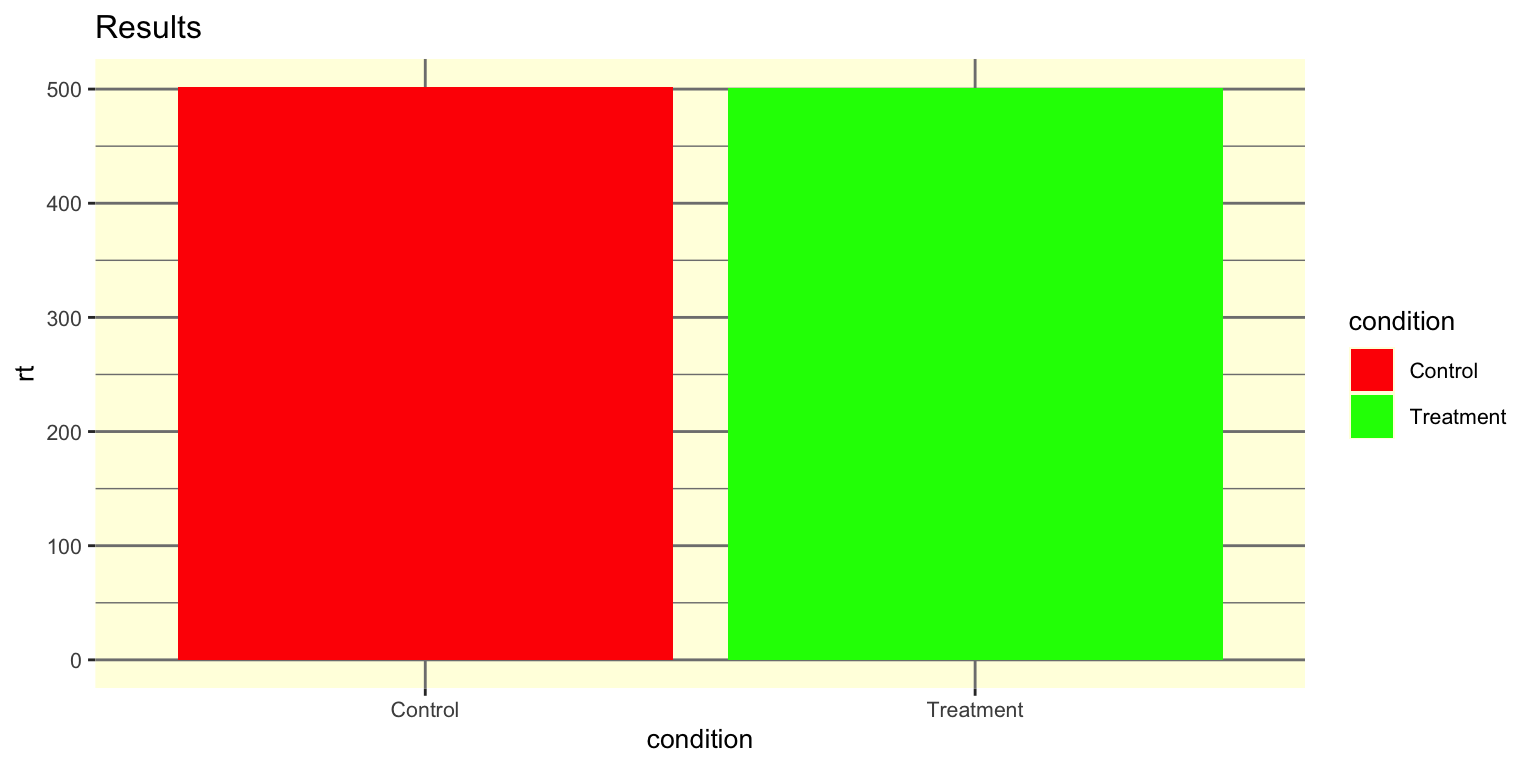
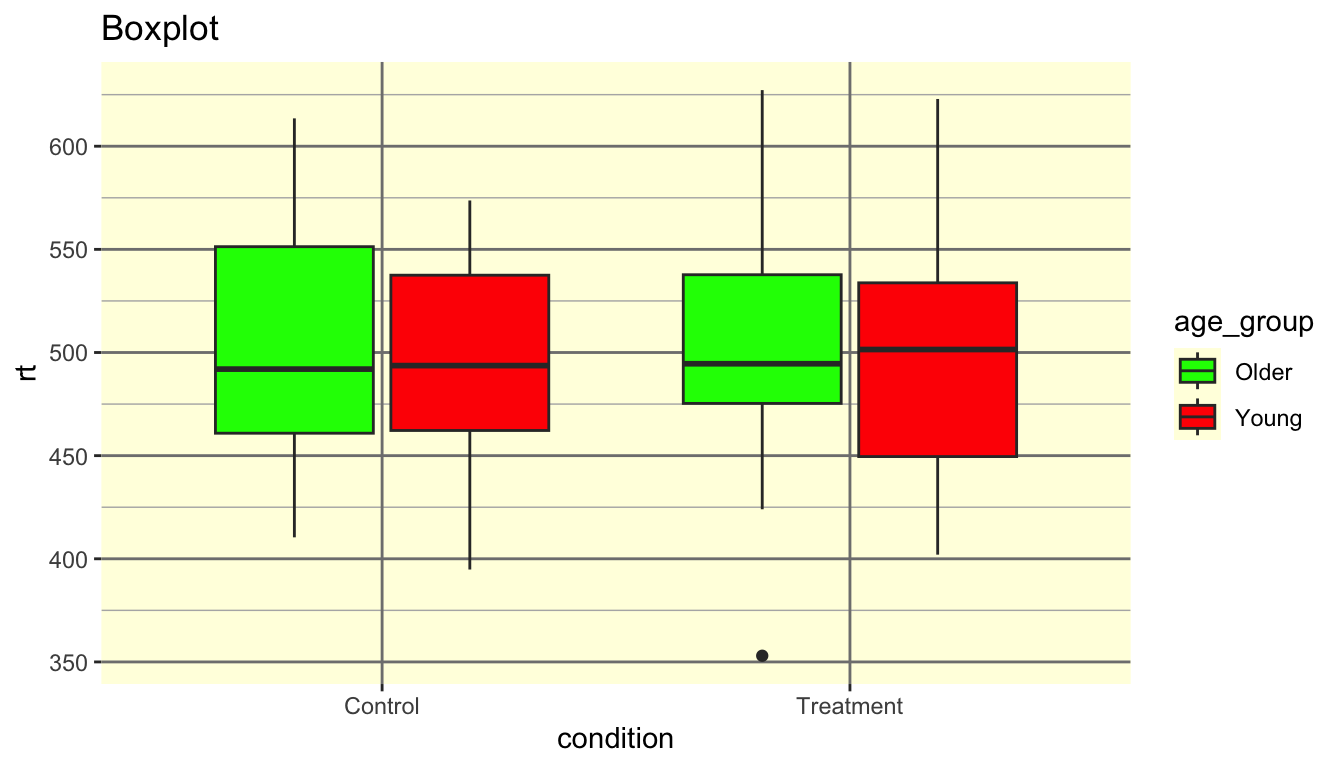
What’s wrong with this?

Deliberately poorly designed bar chart with red and green bars, tiny text, yellow background, heavy gridlines, and an uninformative title — used as a 'what's wrong' warm-up exercise.

Red-green palette (colorblind-unfriendly). No informative title. Tiny text. Gridline noise. Bars hiding the data.

Today we learn why your brain rejects bad figures — and how to design ones that work.

Your brain processes some visual features before you even think

Some visual features are processed almost instantly — before conscious attention kicks in:

Attribute Example
Color A red dot among blue dots
Size A large circle among small ones
Position A point far from the others
Shape A triangle among circles
Orientation A tilted bar among vertical bars

These are your tools for drawing the viewer’s eye.

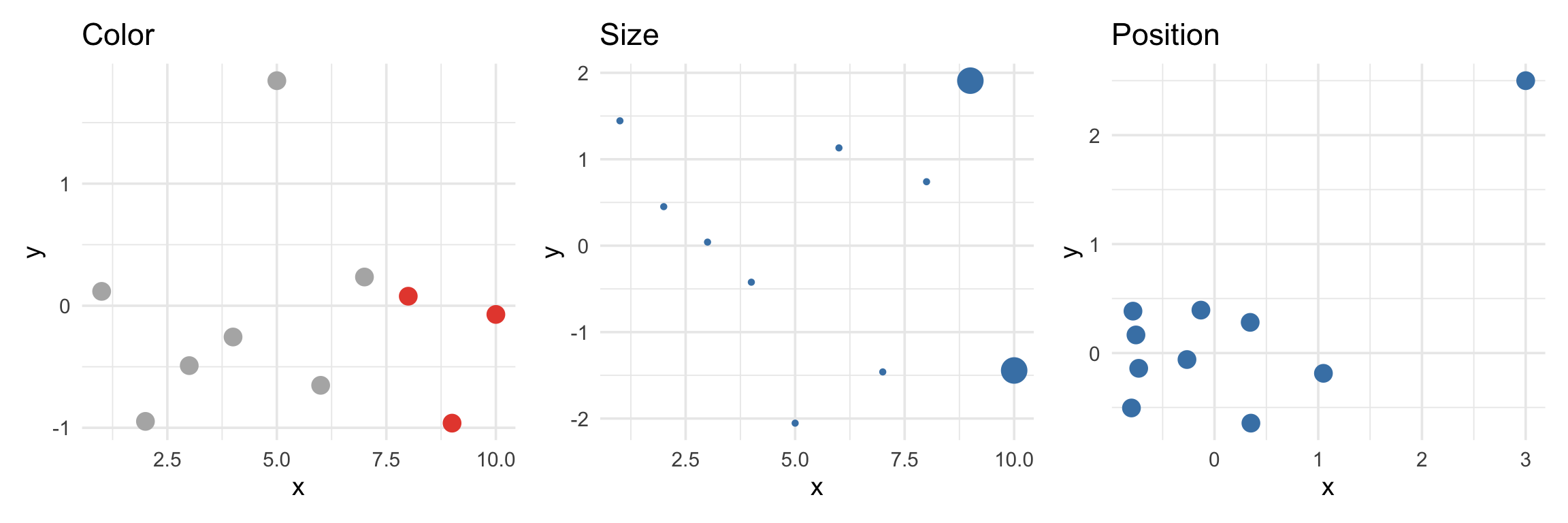
Preattentive in action

Three panel demonstration of preattentive processing: the left panel uses color to make red points pop among gray ones, the middle panel uses size to make two large points stand out, and the right panel uses position to isolate one outlier far from a cluster.

Your eye goes to the red points, the big points, and the outlier — instantly.

Gestalt principles (brief)

The brain groups things automatically:

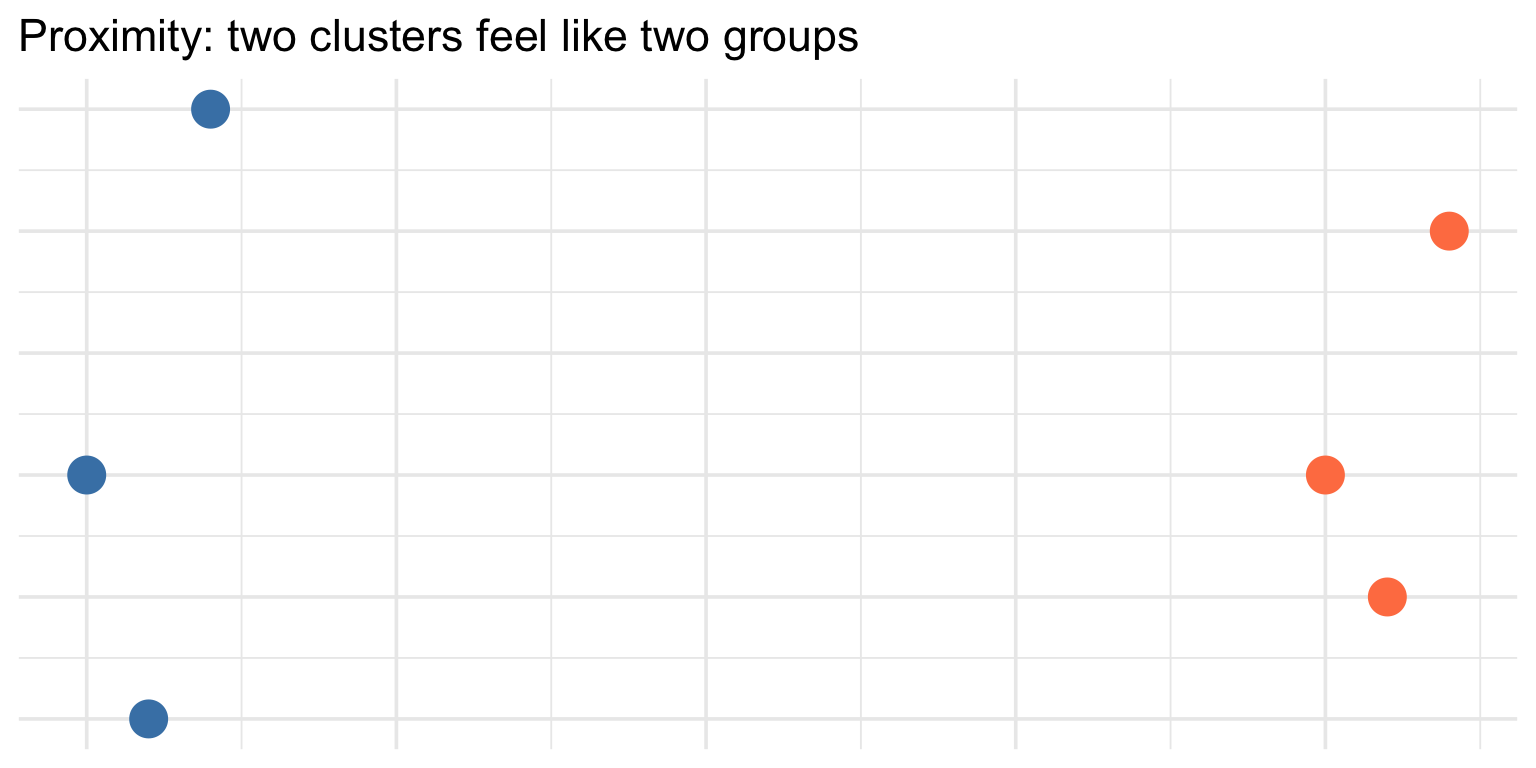
  • Proximity — things close together feel like a group
  • Similarity — things that look alike feel like a group
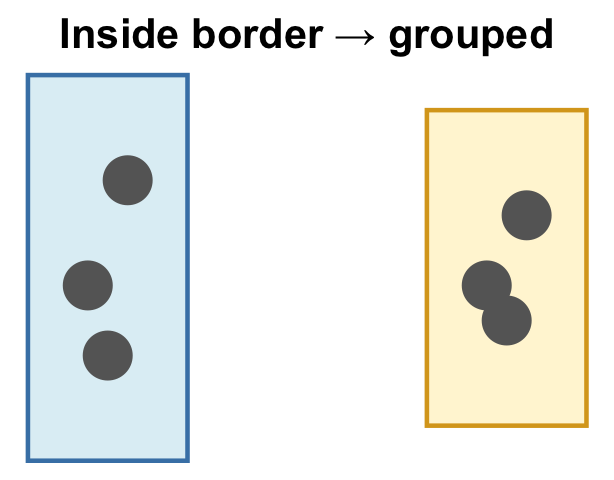
  • Enclosure — things inside a border feel like a group
Scatterplot showing two visually distinct clusters of points separated by empty space, demonstrating the Gestalt principle of proximity — nearby points are perceived as belonging to the same group.

Color theory

Three types of color palettes

Type When to use Example
Sequential One continuous variable (low → high) Blues, viridis
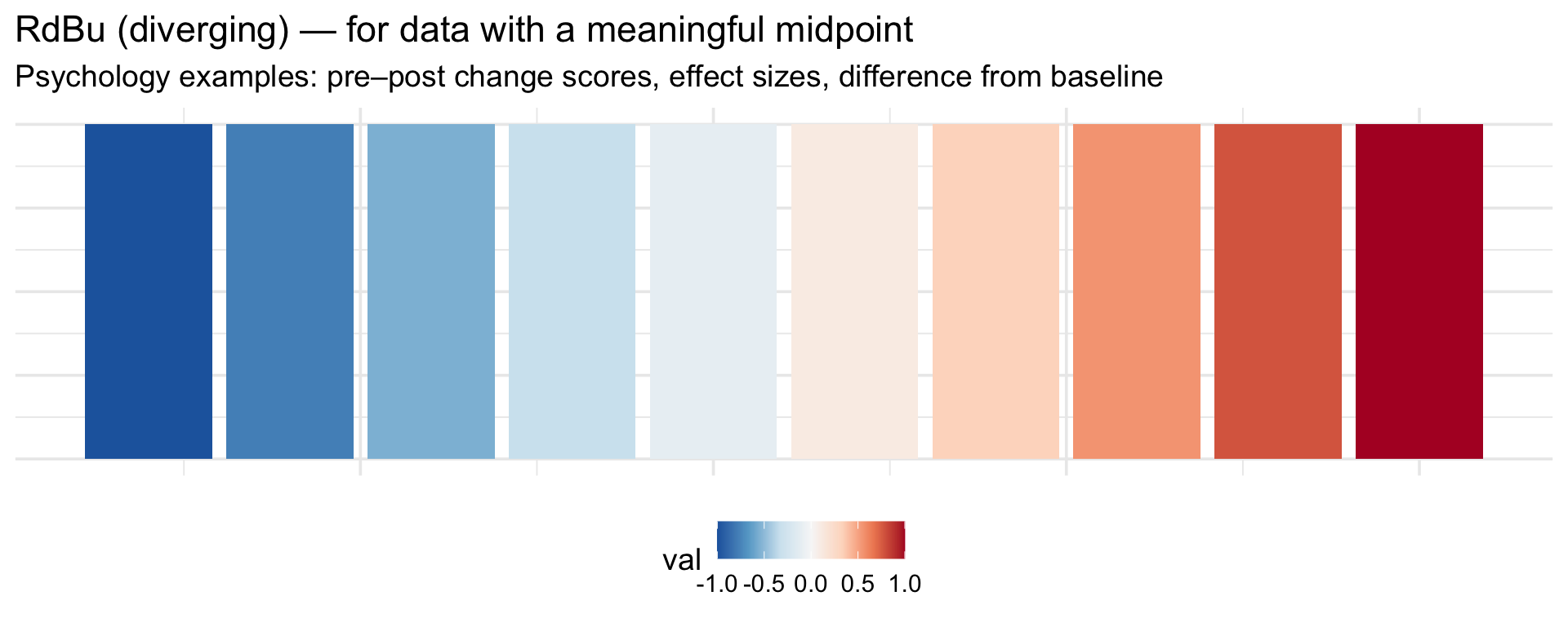
Diverging Values relative to a midpoint Red–white–blue
Qualitative Categorical groups (no order) Set1, tab10

Using the wrong type is one of the most common visualization mistakes.

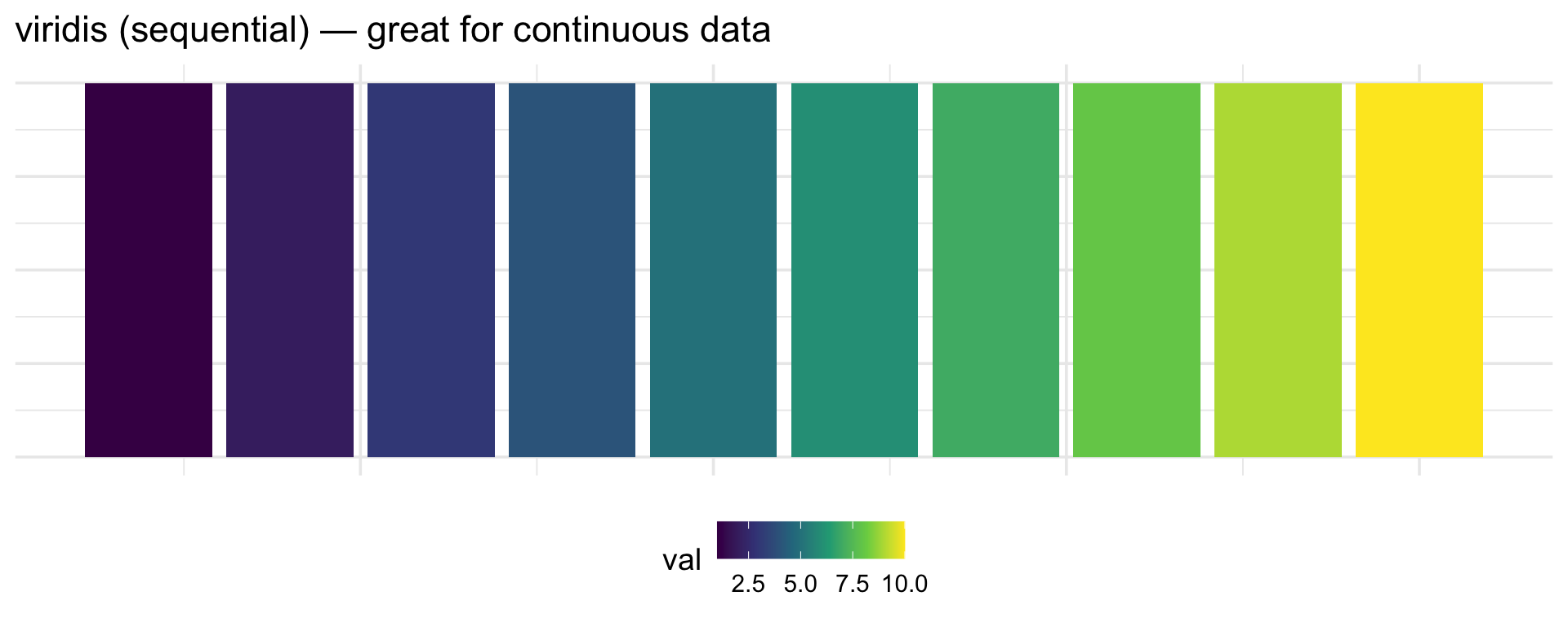
Sequential palettes

A row of ten tiles colored with the viridis sequential palette, transitioning smoothly from dark purple on the left to bright yellow on the right, illustrating how sequential palettes encode low-to-high values.

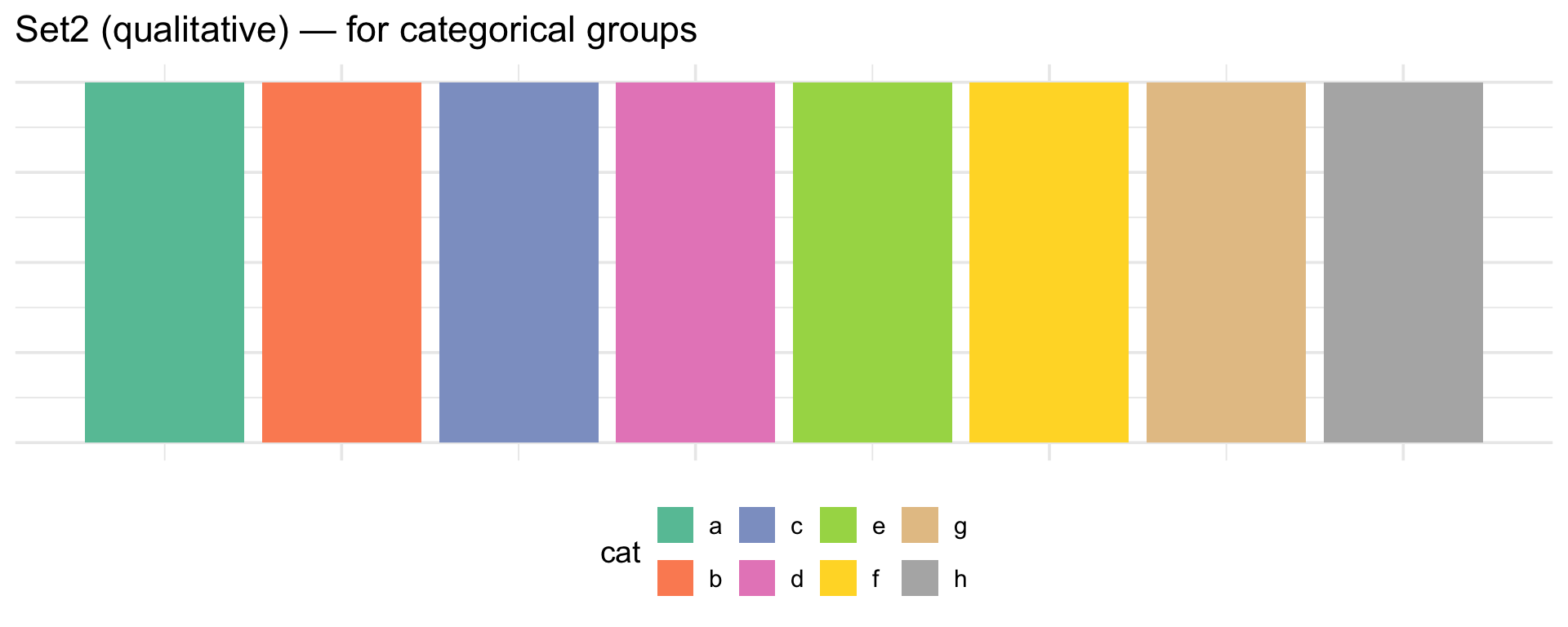
Qualitative palettes

A row of eight tiles in distinct pastel colors from the ColorBrewer Set2 qualitative palette, showing how each category gets a visually distinguishable hue with no implied ordering.

Colorblind-friendly choices

About 8% of men have some form of color vision deficiency. Red-green is the most common.

# viridis is colorblind-safe AND sequential
scale_fill_viridis_d()   # discrete
scale_fill_viridis_c()   # continuous

# ColorBrewer palettes designed for colorblindness
scale_fill_brewer(palette = "Set2")

# Or set colors manually with safe choices
scale_fill_manual(values = c("#0072B2", "#E69F00", "#009E73"))
# (blue, orange, green — distinguishable for most color vision types)

A bad color choice vs a good one

Side-by-side comparison of two boxplots: the left uses red and green fills that are indistinguishable to colorblind viewers, while the right uses blue and orange fills that are accessible to virtually all viewers.

Decluttering

The default is cluttered

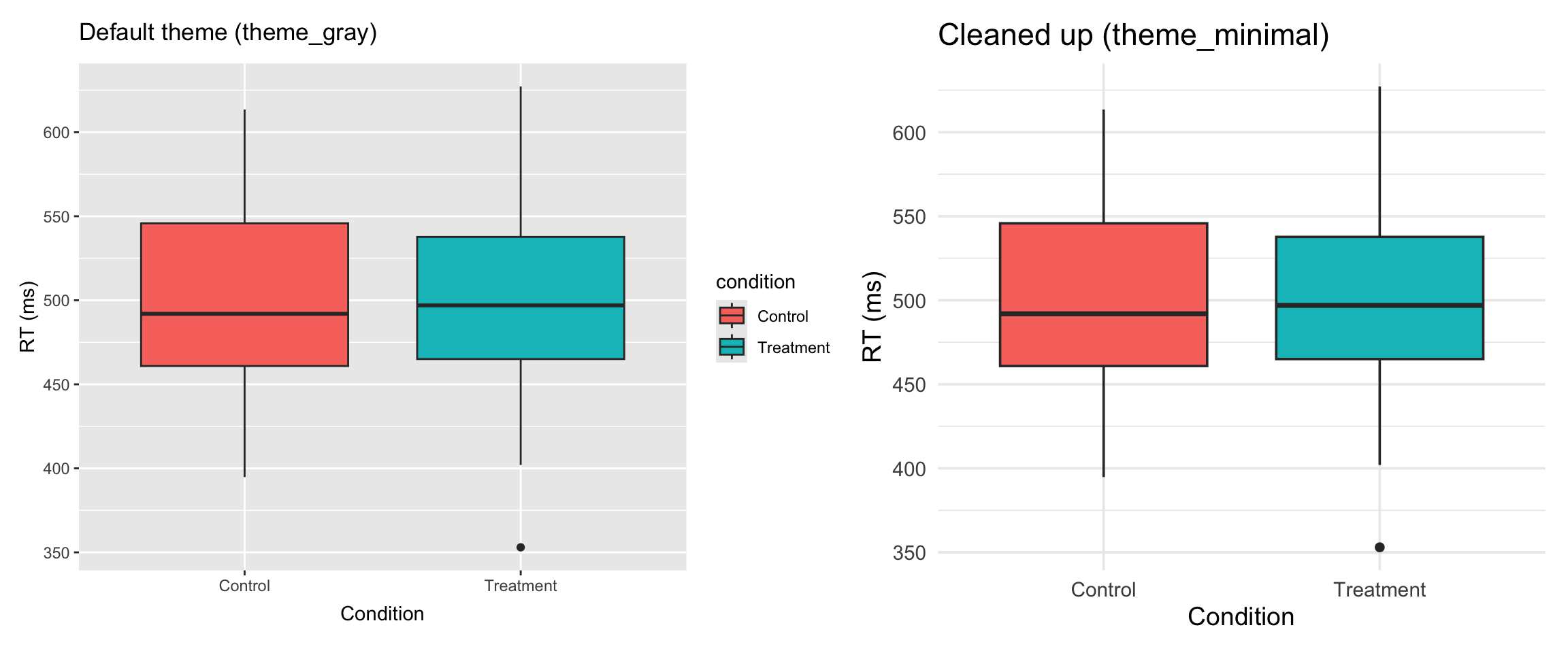
ggplot2’s default theme adds a lot of visual noise. Compare:
Side-by-side comparison of the same boxplot using ggplot2's default gray theme on the left versus the cleaner minimal theme on the right, showing how removing the gray background, heavy gridlines, and redundant legend reduces visual clutter.

The declutter checklist

Ask: does this element help the reader understand the data?

Remove

Element Why
Gray background Noise, no info
Gridlines (most) Distraction
Redundant legend X-axis says it
Generic axis labels Add units instead

Keep

Element Why
Title + subtitle Orients the reader
Caption Source, N, error bar type
Meaningful color Highlights comparisons

theme() for fine control

theme(
  legend.position = "none",                    # Remove legend
  axis.ticks = element_blank(),                # Remove tick marks
  panel.grid = element_blank(),                # Remove gridlines
  plot.title = element_text(face = "bold"),    # Bold the title
  axis.text = element_text(size = 10),         # Font size
  plot.caption = element_text(hjust = 0)       # Left-align caption
)

Pair coding break

Your turn: 10 minutes

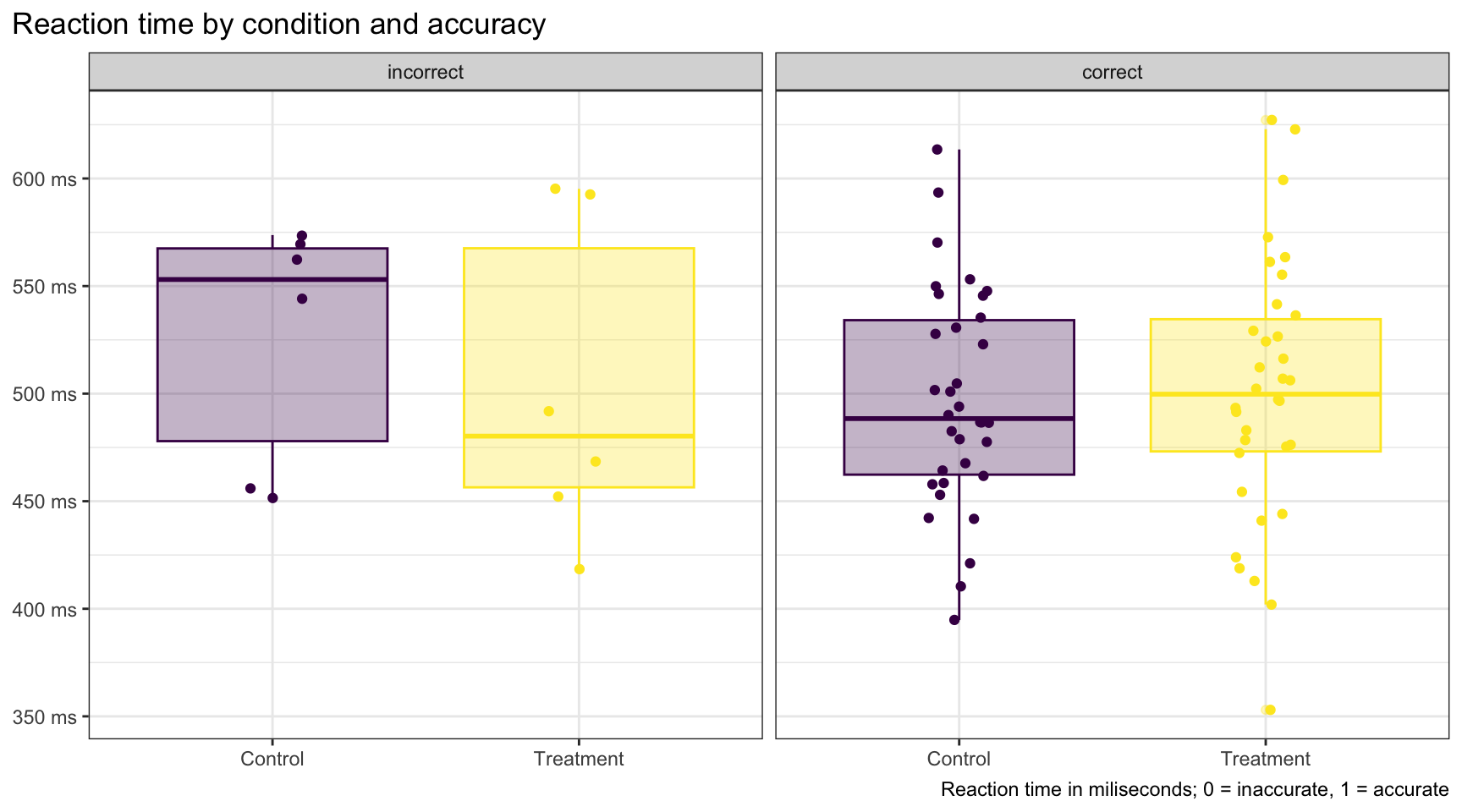
I’ll put a cluttered graph on screen. With a partner, rewrite it to follow the design principles we just covered.

Remove at least 5 unnecessary elements. Make it tell a clear story.

Tip

Think about: colors, legend, labels, theme, size mapping, and whether every aesthetic is adding information.

Your turn: 10 minutes

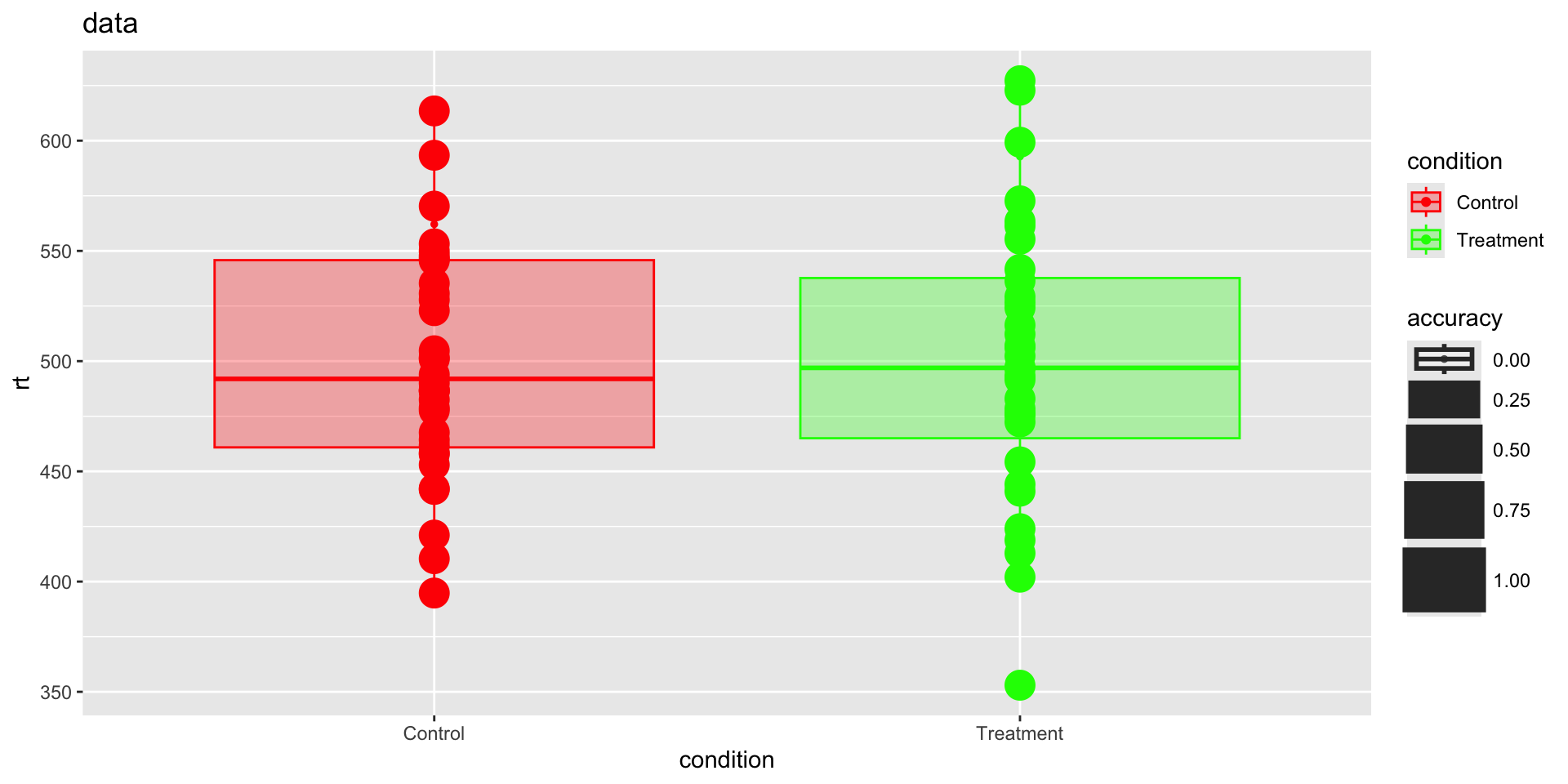
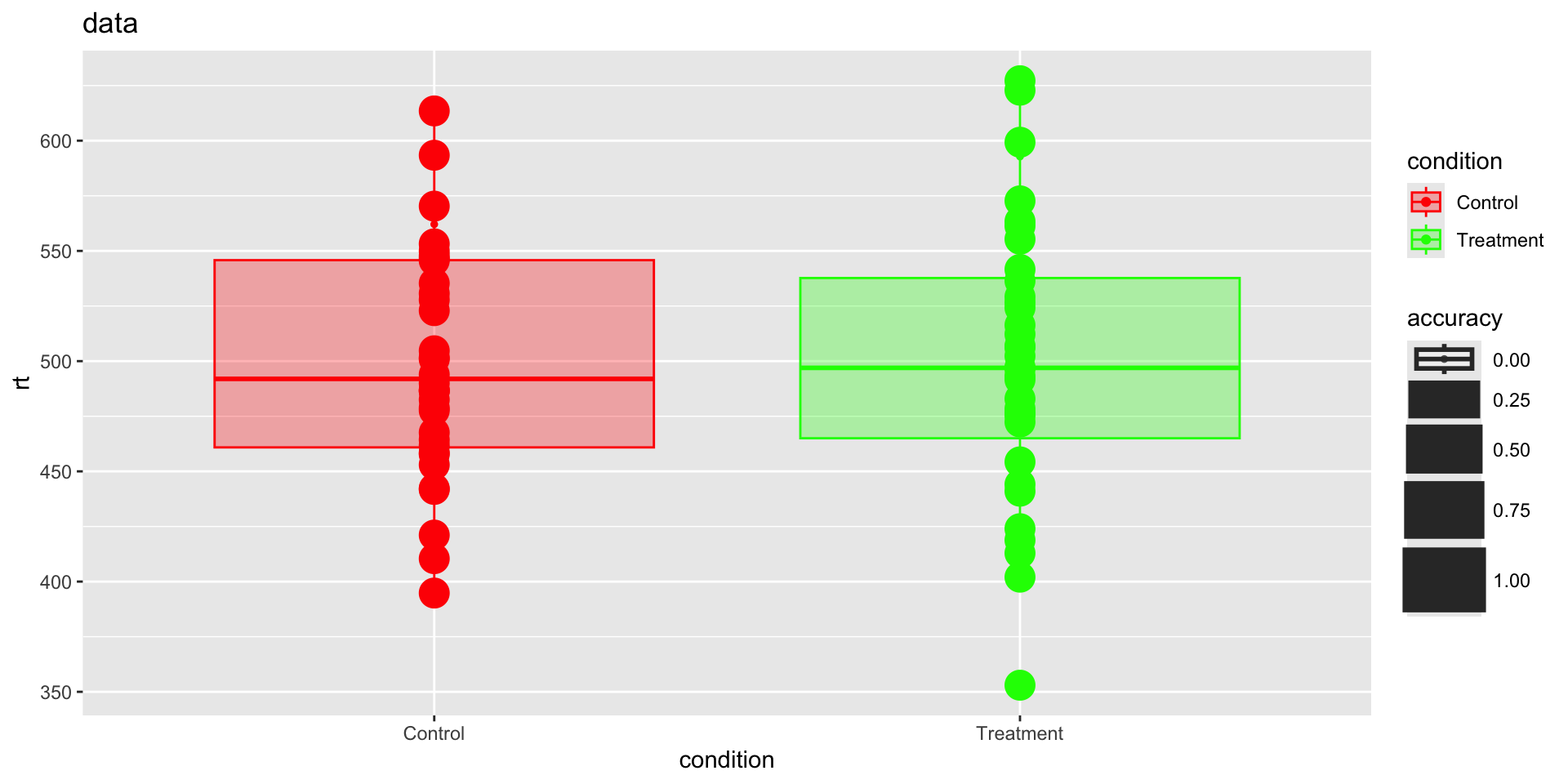
# The cluttered version — fix this!
reaction_data |>
  ggplot(aes(x = condition, y = rt, fill = condition, color = condition, size = accuracy)) +
  geom_point() +
  geom_boxplot(alpha = 0.3) +
  scale_fill_manual(values = c("Control" = "red", "Treatment" = "green")) +
  scale_color_manual(values = c("Control" = "red", "Treatment" = "green")) +
  labs(x = "condition", y = "rt") +
  ggtitle("data") +
  theme_gray()
Deliberately cluttered scatterplot with red and green colors, points sized by a binary variable, redundant color and fill mappings, uninformative title, and the default gray theme — students are asked to redesign it.

Before we move on

📤 Upload your code to Canvas for participation credit. Paste what you have into today’s in-class submission — it doesn’t need to work perfectly.

Critiquing bad graphs

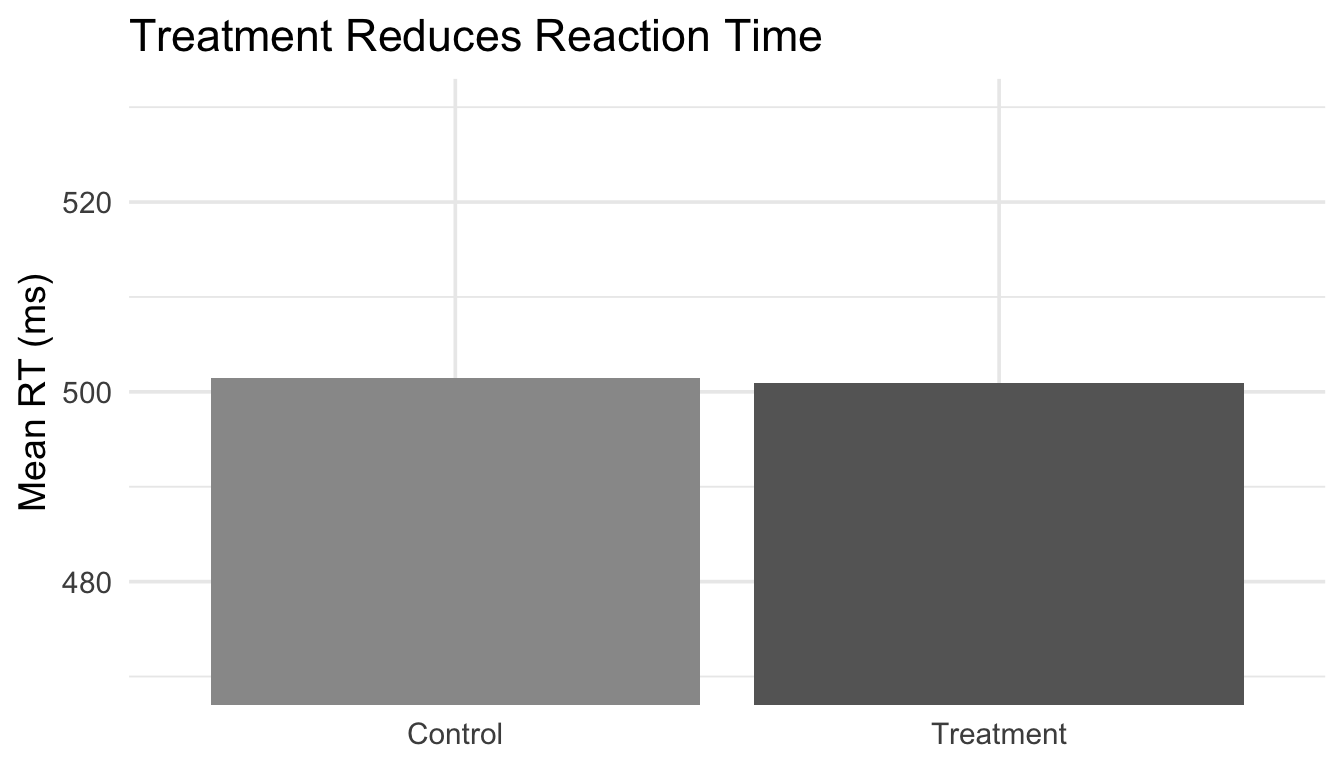
What’s wrong here? (1 of 3)

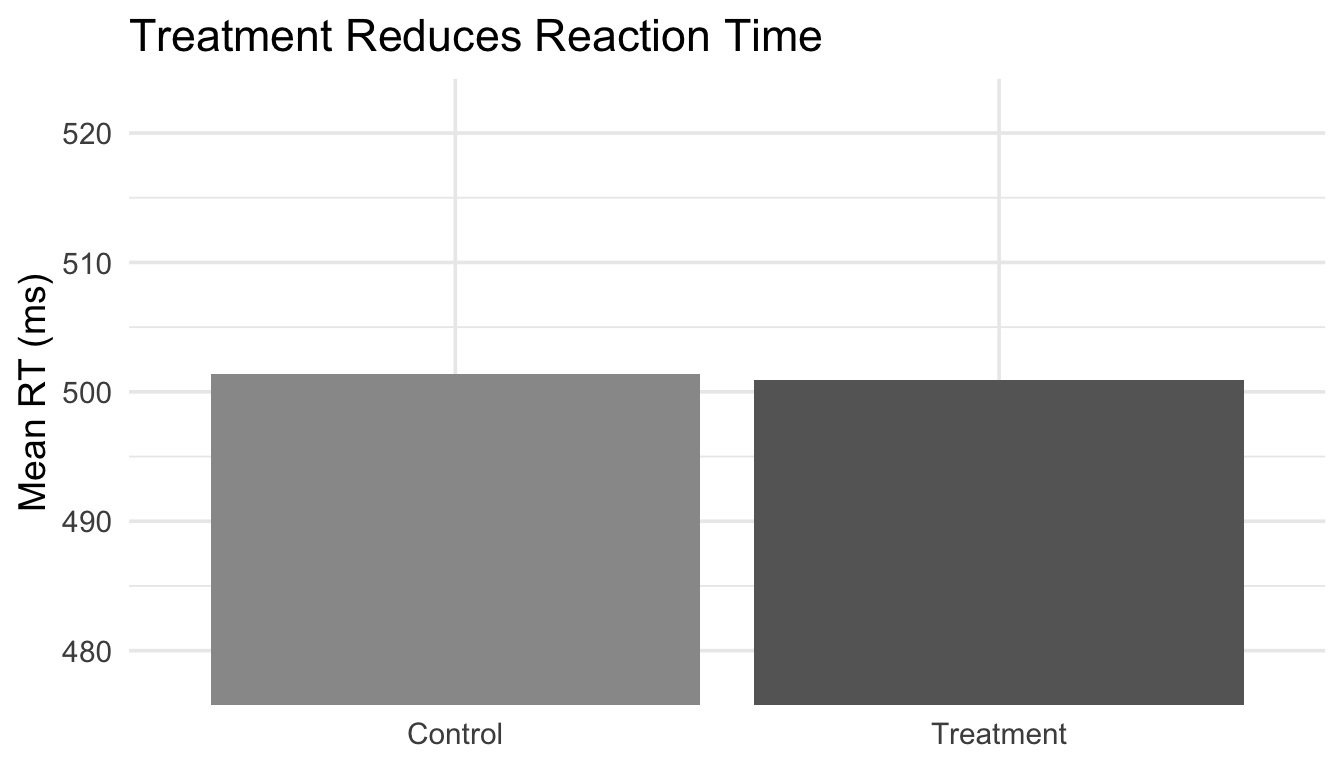
Bar chart comparing mean reaction times for Control and Treatment conditions where the y-axis starts at 470 instead of 0, making a small ~40 ms difference appear dramatically large.

The problem: The y-axis starts at 470, not 0. The difference looks massive — but it’s only ~40 ms. A truncated axis exaggerates the effect.

What’s wrong here? (2 of 3)
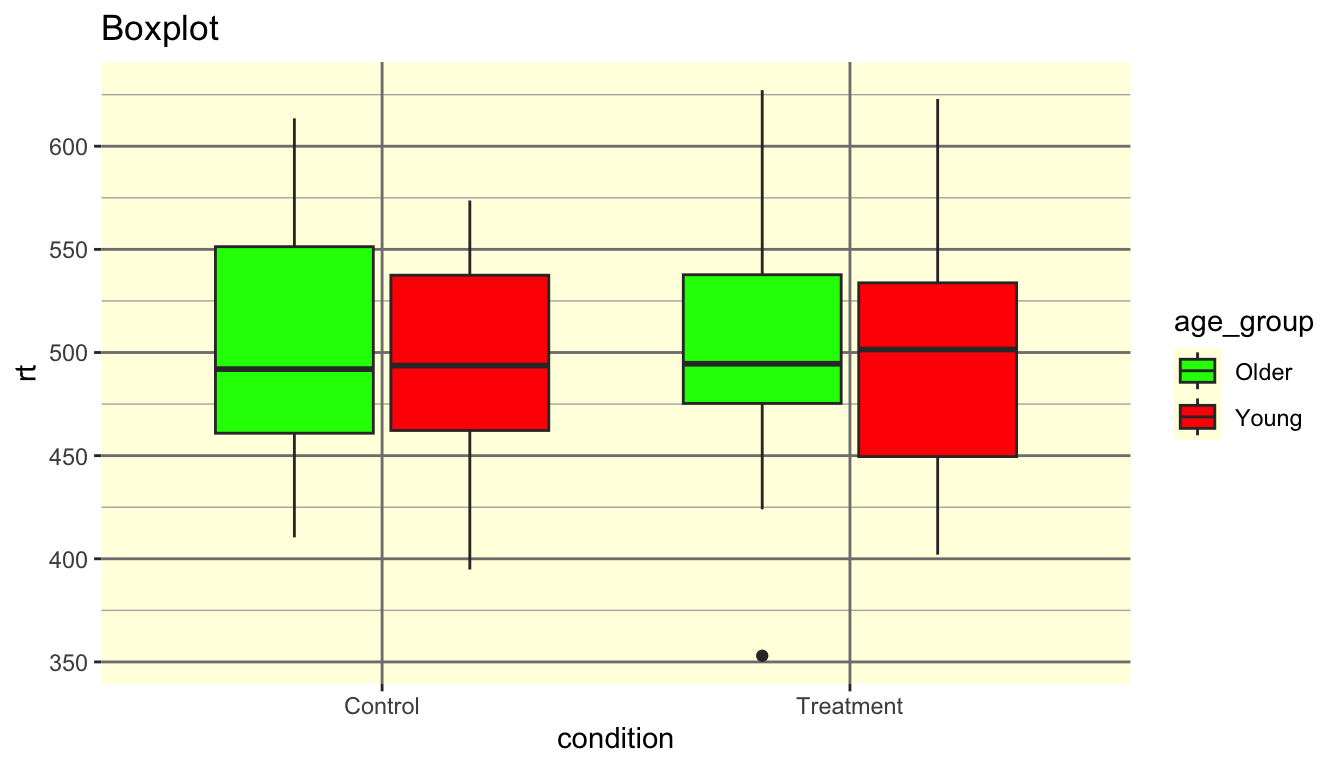
Boxplot with red and green fills, a yellow background, heavy gridlines, variable names as axis labels, and the uninformative title 'Boxplot' — demonstrating multiple common design mistakes at once.

The problems: Red-green palette (colorblind-unfriendly). Title says “Boxplot” (a label, not a finding). Variable names as labels. Distracting background color and gridlines.

What’s wrong here? (3 of 3)
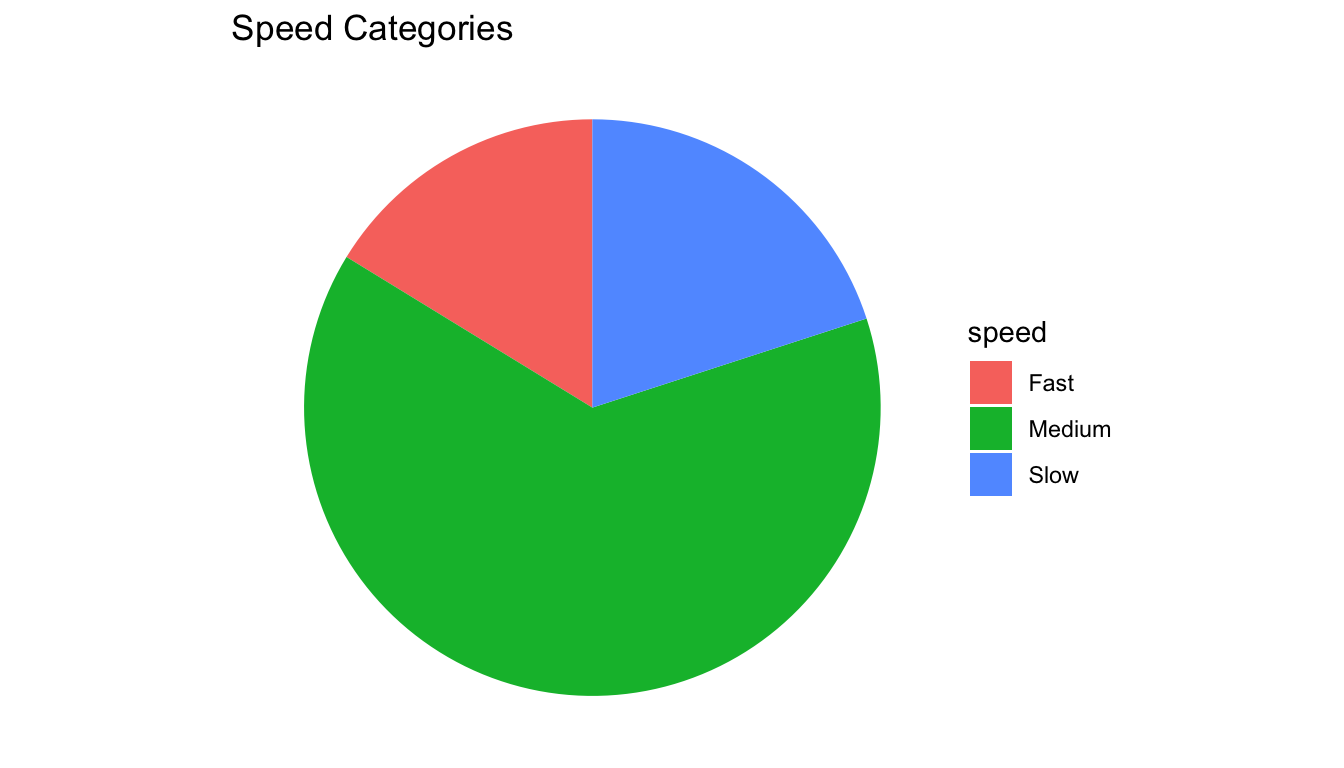
Pie chart showing reaction times arbitrarily binned into Fast, Medium, and Slow categories, hiding the continuous distribution, individual observations, and any comparison between conditions.

The problems: Continuous data was binned into arbitrary categories, then displayed as a pie chart. We lost the actual reaction times, the condition comparison, and the ability to see distributions. A histogram or density plot would show far more.

Get a head start

Assignment 4 preview

Assignment 4 will ask you to:

  1. Create a “bad” version of a figure — deliberately violate design principles
  2. Create a “good” version following what we covered today
  3. Create a colorblind-accessible version

Assignment 4 preview

Start experimenting now:

  • Take the reaction_data dataset
  • Make the worst possible version of a figure
  • Then make it great
  • What did you change?

Wrapping up

Design principles checklist

Before next class

📖 Read:

Practice:

  • Try the “bad vs good” exercise on your own
  • Find a graph online and identify ways to improve it

Key takeaways

  1. Preattentive attributes guide the eye — use them intentionally
  2. Match your palette type to your data (sequential, diverging, qualitative)
  3. Design for colorblindness — always
  4. Declutter ruthlessly — every element must earn its place
  5. Critical evaluation — always ask whether each element adds information

The one thing to remember

You’re not designing for yourself. You’re designing for a reader who will look at your figure for five seconds.

Next time: Exploratory Data Analysis